
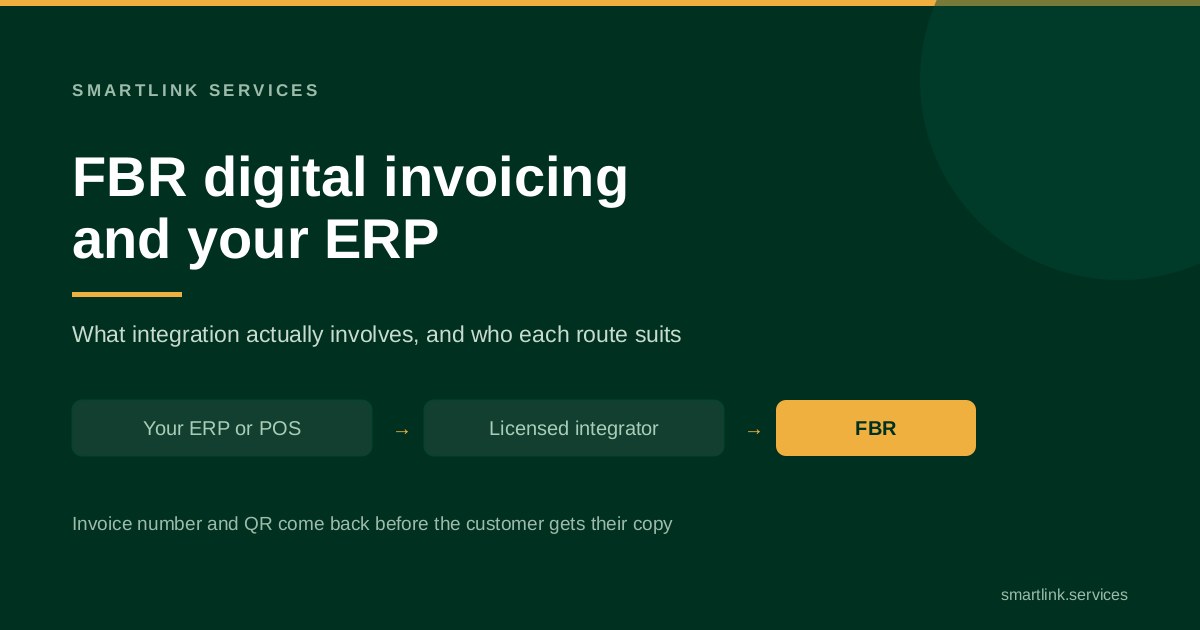
If you are a sales tax registered business in Pakistan, your invoices now have to pass through FBR's digital invoicing platform before they reach the customer. You connect either through PRAL, which must provide integration free of charge on demand, or through another licensed integrator. You then choose one of two modes: your system sends invoices to FBR through an API, or your staff key them into FBR's own screen.
That is the whole requirement in a paragraph. What follows is the part vendors tend to skip: what integration does to an ERP or POS that was not built for it, which route suits which business, and the failure case that nobody budgets for.
What is FBR digital invoicing?
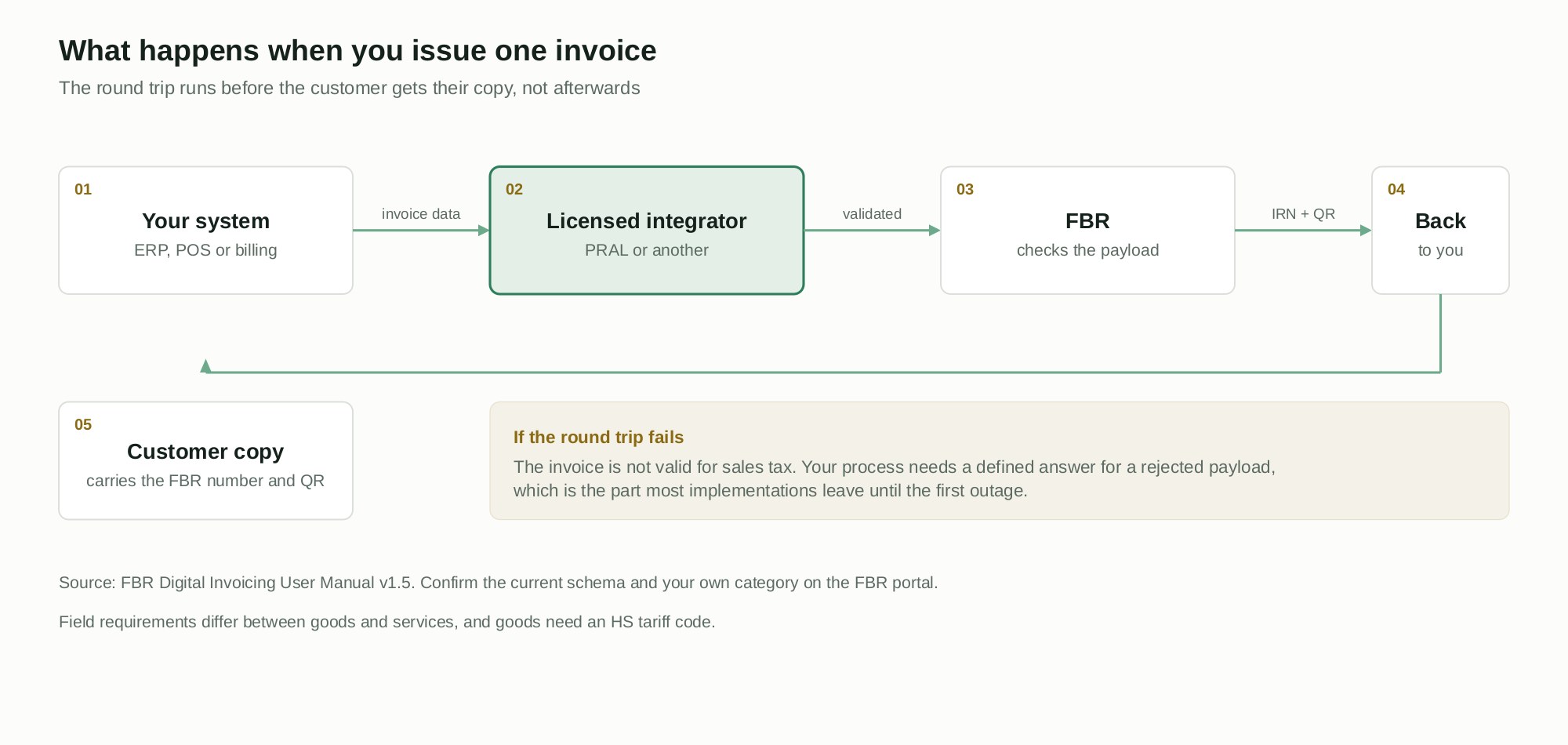
It is a requirement that sales tax invoices are generated through, or reported to, FBR's digital invoicing system, so that each invoice carries an FBR invoice number and a QR code that can be checked. Instead of a tax return being the first time the authority sees your sales, each invoice is seen as it is issued.
Two consequences follow, and they are the ones that matter for anyone running a finance system. The first is that invoicing becomes a live dependency: if the connection fails, you have a process problem at the counter or in the despatch bay, not a reporting problem at month end. The second is that your invoice data has to be clean enough to pass validation on the way out, which is a higher bar than passing an internal review on the way in.
Who has to integrate?
Obligations apply to sales tax registered persons in the categories FBR has notified, with the phasing set out in the circulars that followed the integration rules. Categories were defined by turnover and business type, and the schedule has been revised more than once.
This is the one question where you should not trust a blog post, including this one. Confirm your own category and current dates in the FBR portal or with your tax adviser. Vendor guides on this topic disagree with each other on dates and on penalties, and several cite notifications we could not verify against an FBR document. The requirement is stable; the timetable has not been.
PRAL or another licensed integrator?
Integration runs through a licensed integrator. PRAL is authorised as one, and under Rule 150XF it must provide integration services free of cost to registered persons on demand. FBR has also licensed private integrators; the roster published in April 2025 named PRAL alongside Haball, EY and WebDNAworks, and you should check the current list on the FBR portal rather than relying on a roster from a news article.
The practical difference is not the fee. It is who you call when a payload is rejected at four in the afternoon on the last day of the month, and how quickly your own system can be changed to match a schema update. A private integrator that already supports your ERP can be worth paying for. An integrator that has never seen your platform is a project, whatever the price list says.
API integration or manual entry?
FBR's registration screen asks you to choose. The choice is more consequential than it looks, because it decides where your sales data lives.
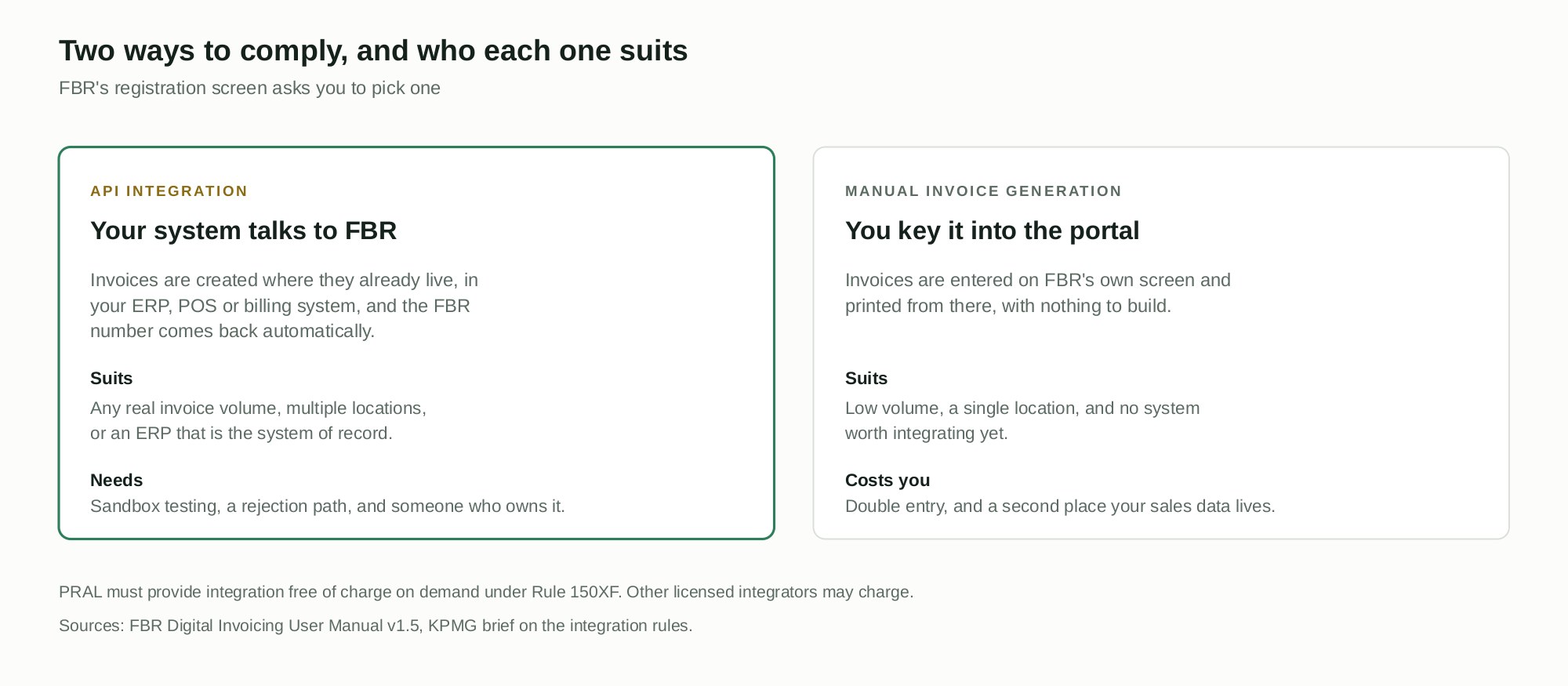
Manual generation suits a single location with low volume and no system worth integrating. Nothing to build, nothing to test, and a person types each invoice into FBR's screen. The cost is double entry and a second version of your sales records, which will disagree with the first one eventually.
API integration suits anything with real volume, more than one location, or an ERP that is already the system of record. Invoices are raised where they always were, the FBR number comes back automatically, and nobody retypes anything. The cost is a short build, sandbox testing, and an owner.
For most manufacturers and distributors we work with, the decision is made by the despatch process rather than by the finance team. If a delivery cannot leave the gate until an invoice prints, manual entry is not a serious option.
What the integration actually involves
Six pieces of work, in roughly this order.
- Register and pick a mode in the FBR portal, then nominate your integrator.
- Map your data to the schema. Field requirements differ between goods and services, and goods need an HS tariff code. If your item master has no tariff codes, that is a data project before it is an integration project, and it is usually the longest line in the plan.
- Build or configure the connection from your ERP, POS or billing system to the integrator.
- Test in the sandbox until rejections are understood rather than merely rare. Test the invoices you dread: credit notes, part deliveries, exempt items, multi-rate invoices, and anything with a discount.
- Decide the failure path. What happens when FBR cannot be reached. Who is allowed to release goods, how the invoice is issued afterwards, and who reconciles the gap.
- Go live and watch the rejection log daily for the first weeks, not monthly.
Step five is the one that separates a working implementation from a fragile one. Everything else is configuration.
Where it breaks in a real ERP
Four patterns come up repeatedly, across every platform.
The item master is not ready. Missing or wrong tariff codes, inconsistent units, and duplicate items all surface as validation failures the first time a real invoice goes out. The fix is upstream, in the master data, not in the interface.
Credit notes and amendments were never tested. Sales go out fine, and the first return of the month fails. Build the reverse flows into the test plan, not into the first week of live running.
The POS and the ERP disagree. Retail sites with their own till software often hold a different price or tax treatment from the ERP. Digital invoicing makes that disagreement visible to the authority, which is an uncomfortable way to find out.
Nobody owns the rejection queue. A rejected invoice is not a technical event, it is an unissued invoice. If it sits in a log that nobody reads, you have revenue that has not been recognised and a customer who has not been billed.
What the invoice has to carry
Rather than list fields that change, here is what to check against the current schema before you build, because each one has caught somebody out.
- The FBR invoice number and QR code. These come back from the round trip and have to print on the customer copy. If your invoice template is a fixed-width form from 2014, it needs redesigning to carry them.
- HS tariff codes on goods. Required in the payload, and the field most item masters cannot supply on day one.
- Buyer identification. Registered buyers and unregistered buyers are not treated alike. Decide how your system captures that at the point of sale, not afterwards.
- Tax treatment per line. Exempt, zero rated, reduced rate and standard rate lines on one invoice are normal in Pakistani trade and are where validation most often fails.
- Units of measure. They have to be consistent with what the schema accepts, which is rarely the free text your warehouse has been using.
- Document types beyond the sales invoice. Credit notes, debit notes and amendments each have their own path.
Field requirements differ between goods and services, so confirm the current specification in FBR's technical documents before a developer writes a mapping from a blog post, including this one.
What changes for the people doing the invoicing
The technical work is the smaller half. The larger half is that invoicing stops being something your team controls end to end.
At a counter, the till now waits for a response before it can finish. That is a second or two on a good day and a queue on a bad one, so staff need a rehearsed answer for the bad day rather than an improvised one. In a despatch bay, the question is sharper: if the invoice cannot be issued, does the truck wait, or does it leave on a delivery note with the invoice to follow? That is a commercial decision, not an IT decision, and it should be made by someone who can be held to it.
Train for the exceptions, not the happy path. People learn the normal flow in ten minutes. What they need written down is who to call when a payload is rejected, what they are allowed to do in the meantime, and how the invoice gets issued once the connection returns.
Reconciling what FBR holds with your own ledger
Once invoices are validated as they are issued, you have two records of the same month: yours, and the authority's. They should agree, and the point of a monthly check is to find out quickly when they do not.
Build a simple reconciliation into the reporting layer from the start: invoices raised, invoices accepted, invoices rejected and never reissued, and credit notes applied. The third of those is the number that matters, because a rejected invoice that nobody reissued is revenue you have not billed and tax you may still be assessed on. A short report that nobody has to assemble by hand is worth more here than a dashboard nobody opens.
If your reporting layer already pulls from the ERP, this is a small addition. If month end is assembled in spreadsheets, it is a good reason to fix that first.
Do it in house, or through your ERP partner?
Both work, and the answer depends on one question: who will still be here in a year when the schema changes?
In house suits teams with a developer who already owns the ERP's integration layer and has time that is genuinely free. The work is not exotic. What it does require is someone who will maintain it after the person who built it moves on, because a schema update with nobody to action it stops your invoicing, not just a report.
A partner suits everyone else, particularly where the ERP is supported externally anyway. Ask any partner three things before engaging them: whether they have integrated your exact platform and version, what their response time is when FBR changes something, and whether the mapping and credentials will be documented in a form you could hand to someone else. If the third answer is vague, you are buying a dependency rather than an integration.
A short checklist before you go live
- Your category and current obligations confirmed against FBR, in writing, by whoever advises you on tax.
- Item master checked: tariff codes, units and tax treatments complete and consistent.
- Sandbox testing covering credit notes, part deliveries, mixed tax rates, discounts and exempt items.
- A written failure path, agreed by whoever runs despatch or the counter.
- The invoice template redesigned to carry the FBR number and QR legibly.
- A named owner for the rejection queue, with a daily habit for the first month.
- A reconciliation report covering raised, accepted, rejected and reissued.
- Every legal entity that issues invoices accounted for, including the quiet ones.
What it means for the rest of your finance stack
Digital invoicing is rarely a standalone project. It touches whatever produces invoices, which in most Pakistani businesses means an ERP, a POS estate, or both, plus the reporting layer that has to reconcile to what FBR now holds.
If you are already planning an ERP implementation, bring the invoicing requirement into the blueprint rather than treating it as a later phase. Retrofitting it after go-live costs more, because the integration touches the same documents you have just finished configuring. The same holds for POS and FBR digital invoicing integration, where the till is the system that has to carry the number.
For businesses with several legal entities, check early whether each one is separately registered and separately integrated. Group structures routinely discover that a dormant entity still issues a handful of invoices a year, and nobody has connected it.
Where to start
Start with the item master, not the interface. Pull a list of everything you sell, check tariff codes and tax treatments against what the schema expects, and count how many rows are wrong. That number tells you the size of the project more accurately than any vendor quotation.
Then decide the mode honestly, based on volume and on whether goods can wait for an invoice. If you want a view on your own systems, tell us what you are running and we will tell you what integration would involve, including the parts that are awkward.